
Getting Started
Create your first board, add lanes, and track tasks in minutes.
1) Open the app
Head to kanbaroo.app. It loads locally and works offline after the first visit.
2) Create a board
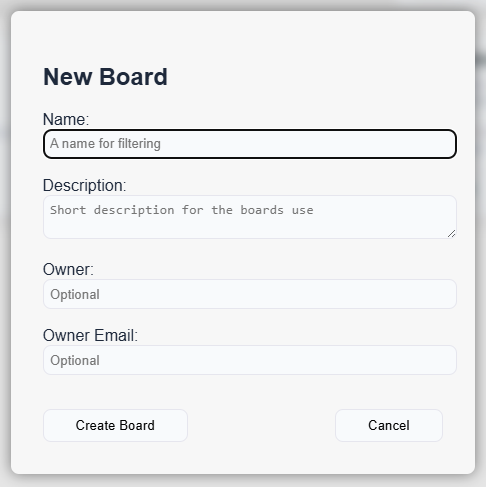
- Click New Board.
- Name it (e.g., “Personal Projects”).
- Owner, when set will default the ownership of any new tasks to this person. It's optional.
- Owner Email - optional and purely for your reference. Kanbaroo cannot access or use this in any way.
3) Lanes and tasks
Lanes are your flow (e.g., To do, In progress, Done). Click + Add Task to create cards. Drag to move between lanes.
Dragging on a mobile device? Some devices will let you use a finger to hold the Task down, and another finger to swipe Lanes.
For devices that do not allow this, there is a Lane setting within the Task options which you use to switch between them.
4) Details, due dates & subtasks
Click a card to edit title, description, labels, due date, and subtasks. Subtasks show a progress bar on the card.
5) Save & export
Your board saves automatically to your device. Export JSON anytime from the toolbar to back it up or share.
No account needed. Everything stays on your device unless you export it.